IDVT RTW
Candidate Journey
1. Email sent to candidate from EC Pro when request is submitted:
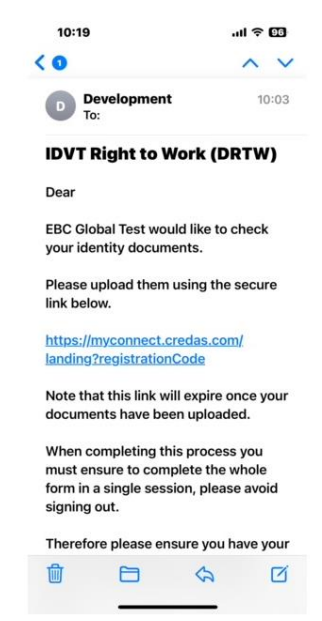
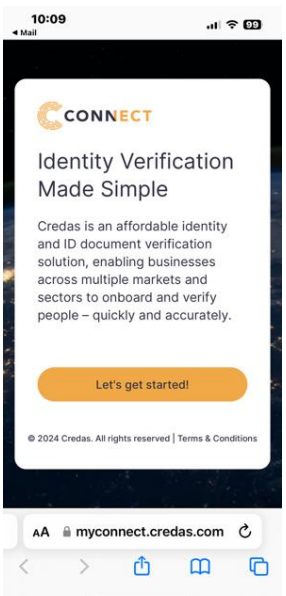
2. Link takes candidate to partner site to start process. Recommended for candidate to complete this on a mobile device such as a mobile phone or tablet.
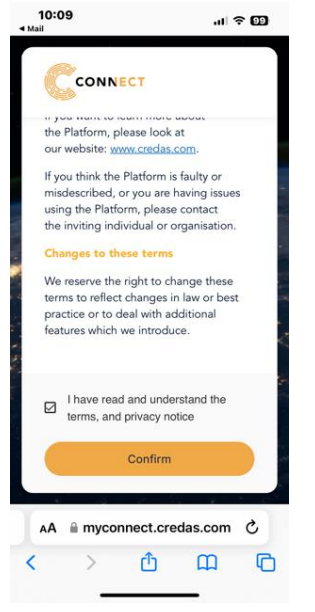
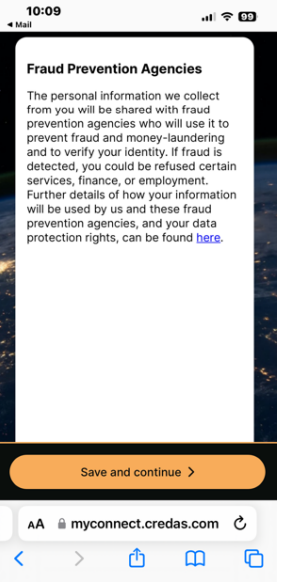
3. Candidate confirms they have understood the terms and privacy notice and data protection rights:
4. Candidate enters their personal details and answers passport question:
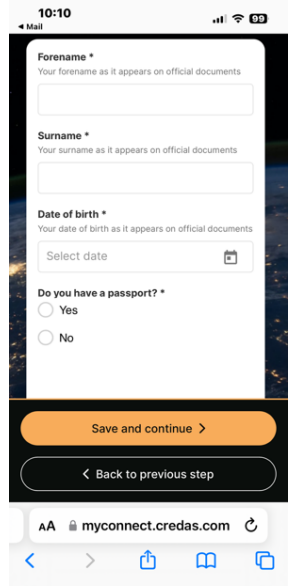
Please note, if not using a passport but using a biometric document such as a photo card driving licence, an ID and liveness check will be completed to verify the document is genuine and matches the selfie of the candidate. A RTW check will not be performed.
5. The candidate is asked to choose the type of passport:
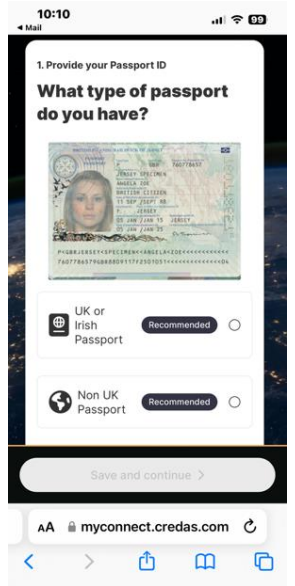
Please note, if not using a UK or Irish passport, a UK DIATF check will not be performed. If using a non-UK or Irish passport the candidate will also need to enter a valid Home Office share code to obtain a RTW. Share code applications have an SLA of 4 hours once submitted by the candidate.
6. The candidate is asked to take a photo of the document and given advice how best to do this:
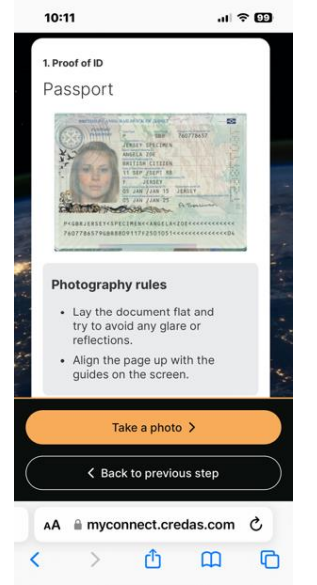
7. The camera view guides the candidate on where to line up the photograph and the MRZ (machine readable zone, the long numbers at the bottom of the page):
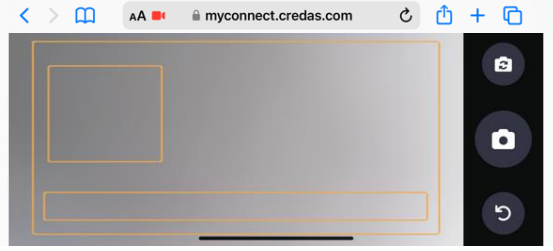
8. The candidate can confirm the image looks good, or to re-take the photograph:
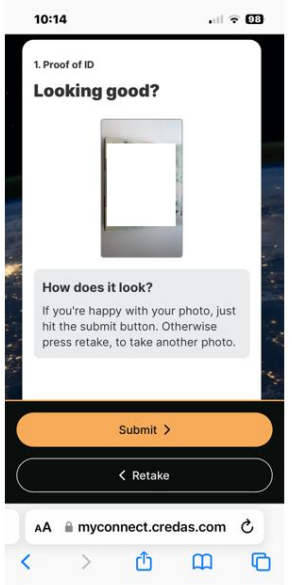
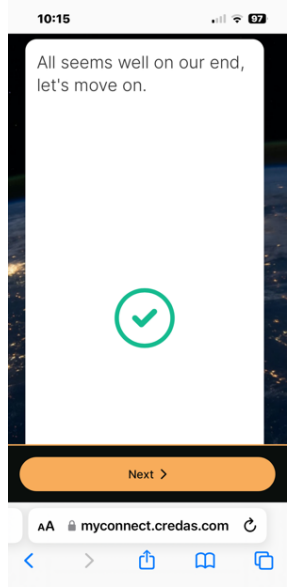
9. Once submitted, the document is checked, and if the photo was not clear enough the candidate is given the opportunity to try again, otherwise they are advised to move on:
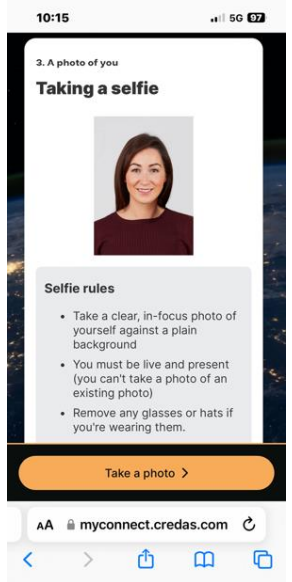
10. The candidate takes a selfie, instructions are provided on how best to do this:
11. The candidate takes the selfie, lining up eyes and centre using the guidelines provided:
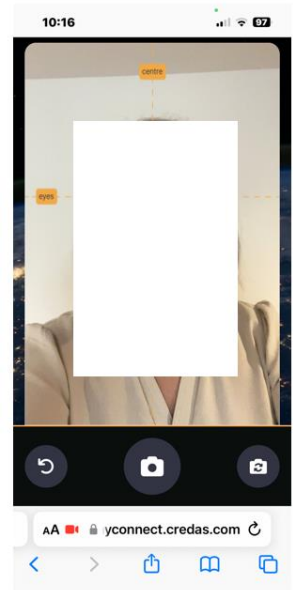
12. The candidate can confirm the image looks good, or can retake the selfie:
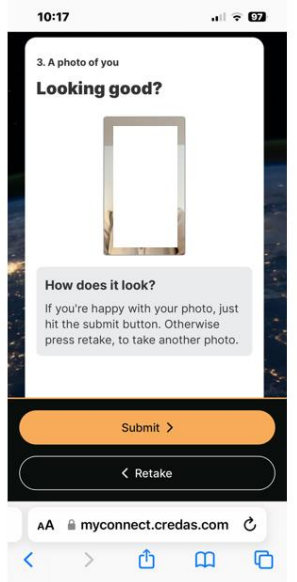
13. If the photo was not clear enough, the candidate is given the opportunity to try again, otherwise they are advised to move on:
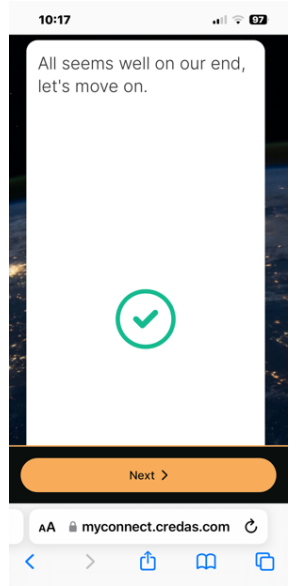
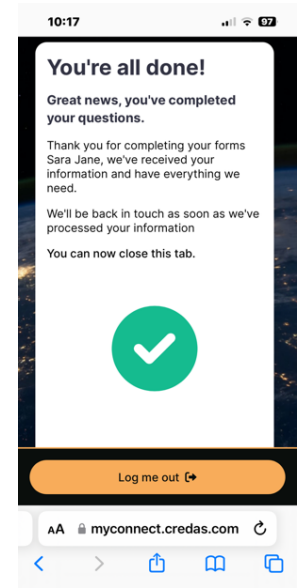
14. And this completes the process:
Was this article helpful?
That’s Great!
Thank you for your feedback
Sorry! We couldn't be helpful
Thank you for your feedback
Feedback sent
We appreciate your effort and will try to fix the article