You will need to create an SAML 2.0 application in your azure directory.
Please name:
Identifier (Entity ID): clientname_SSO
Reply URL (Assertion Consumer Service URL): https://pro.ebcglobal.co.uk/
After doing the above, you will need to provide us with the Federation Metadata XML and also send us a screenshot of the application you've created in Azure AD so we can check the Entity ID and Reply URL.
EBC will then finalise the configuration, and enable this in the user's settings.
** For the clientname_SSO this needs to be your company name
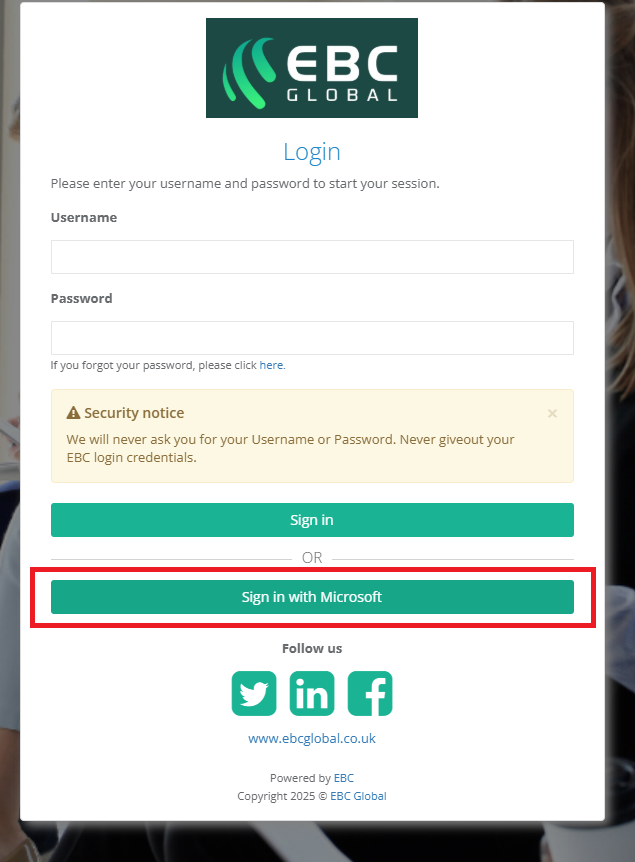
Once the process has been finalised and confirmed by EBC, the user will need to click the Sign-in with Microsoft button on the PRO login page:
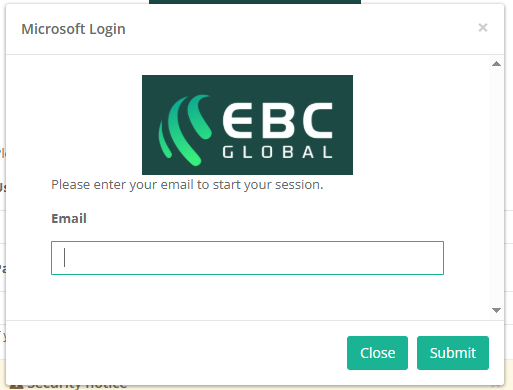
Which will take them to a screen where all they need to do is enter their email address to login:
Was this article helpful?
That’s Great!
Thank you for your feedback
Sorry! We couldn't be helpful
Thank you for your feedback
Feedback sent
We appreciate your effort and will try to fix the article